


SAP B1 Job Work Process Addon

Factory Terminal Application Overview

Factory Management System

Introduction

The purpose of this Factory Terminal Application (web application) is to record user activity and track production orders according to route stages.

The Factory Terminal Application system will be used to track production activities and assist company users in managing and monitoring these processes.

The Factory Terminal Application (FTA) will be a centralized application designed to capture Production information, facilitate improved inventory management, and provide visibility into user operations.

Introduction to Factory Terminal Application

Why Kabeer Has Developed Factory Terminal Application

Kabeer Consulting Group has developed the Factory Terminal Web Application to improve production efficiency and control in SAP Business One.

Key reasons to develop FMA is Production Monitoring, Centralized Data Management, Enhanced Inventory Control, improved User productivity, etc.
FMA Application empowers manufacturing companies to manage their production processes more effectively.

Factory Management System

Key features of the Factory Terminal Application

Real-Time Production Monitoring
Automated Batch Management
Capacity Planning
Quality Control and Traceability
Component Issuance and Reporting Completion

Functions of the Factory Terminal Application

Administration

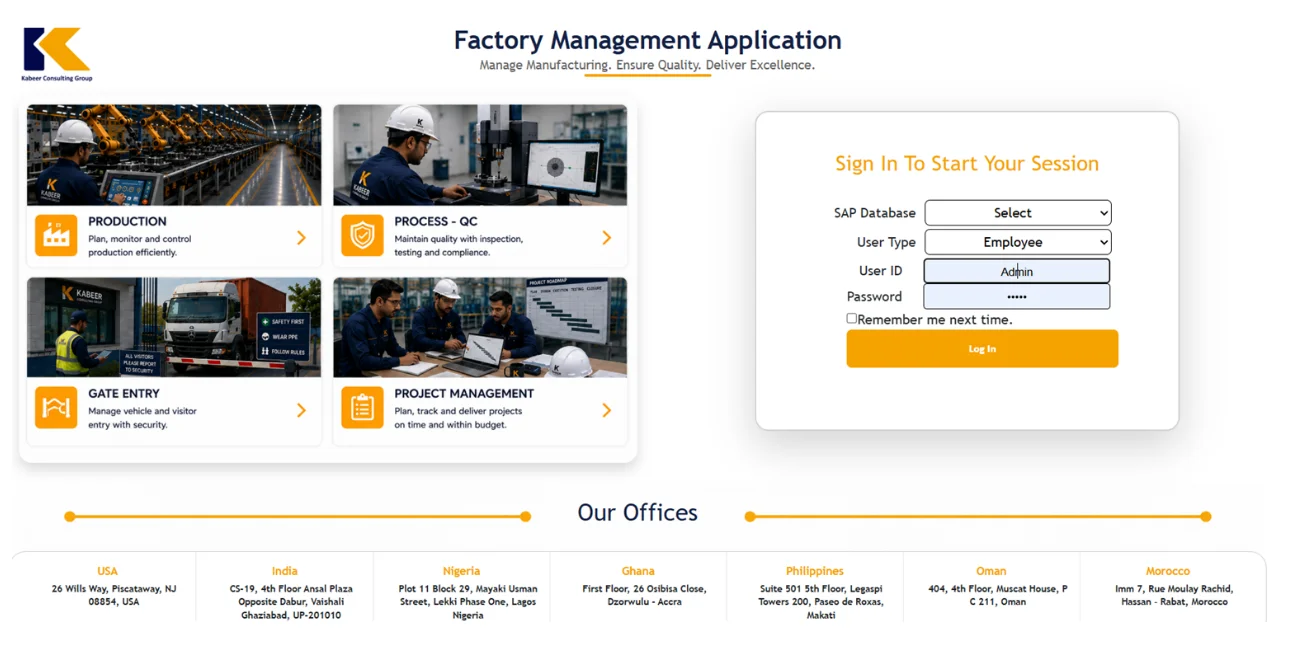
User Login

Users will use this screen to log in to the FMA application.

User Login - Factory Management

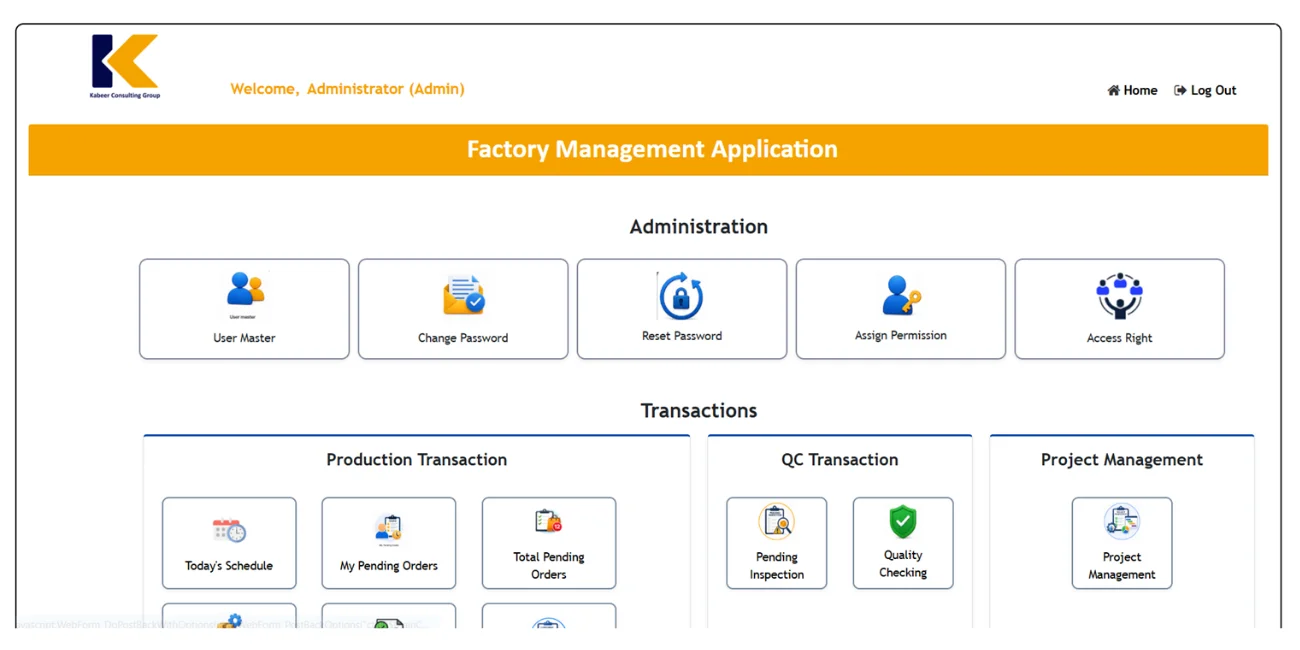
Homepage

Once you get logged in the FMA this screen will appear.

Homepage - Factory Management

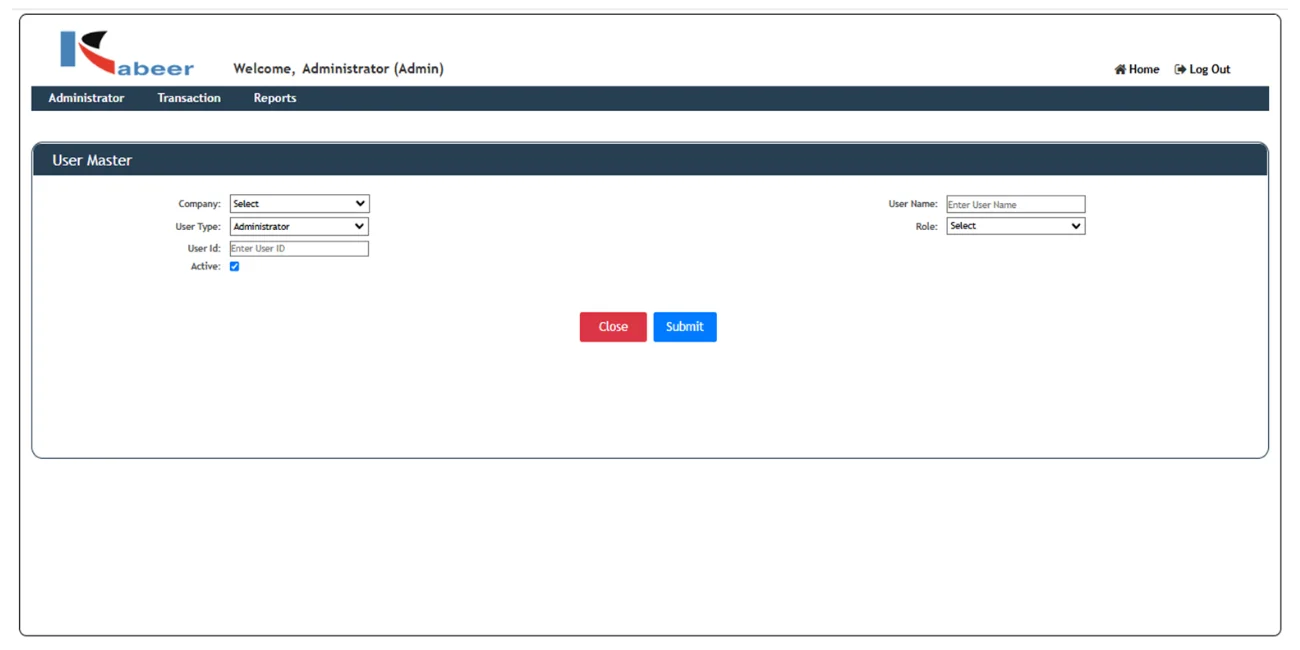
User Master

This screen is used for creating new users and updating existing users

User Master - Factory Management

Change Password

User can change password for the existing users by using this function

Reset Password

User can reset password for the existing users by using this function

Assign Permission

This screen is for Assigning permissions to the different users for different screens.

Transactions

Production Transactions

Today’s Schedule

The user can view today’s production scheduled in the Factory Terminal Application.

My Pending Orders

This function is used to view pending orders in the Factory Terminal Application

Total Pending Orders

This function is used to view all pending orders in the Factory Terminal Application.

Issue For Production

This screen is used to view all production issue records in the Factory Terminal Application

Report Completion

This screen is used to create a report for completion based on the selected report quantity and batch/serial, and to add the production in the Factory Terminal Application

Component Record

In electronic industry there is a requirement of keep component record for warranty purpose. For example if a company is manufacturing laptop then in case of RAM, motherboard and other serial controlled items it is mandatory to keep component record that in one serial number of laptop, which serial number RAM, Motherboard etc. are used.

QC Transactions

Pending Inspection

This screen shows the records under various status like, Pending , Processed, Under Inspection. From here we can change the status of a record.

Quality Checking

This screen shows the records for quality checking.

Project Management

Project Management

This screen is used for Project Management Entries.

Reports

Production Reports

Open Production Order List

Below Screen has the Parameters for searching the Open Order List.

Overdue Production Order List

Below Screen has the Parameters for searching the Overdue Order List

Completed Production Order List

Below Screen has the Parameters for searching the Completed Order List

Close Production Order List

Below Screen has the Parameters for searching the Close Order List.

QC Reports

QC Reports

Project Management Reports

Open Issue List

Stock Analysis Report

Report Completion-Batch Entry

On click of serial/batch button a new window will be open to enter batch numbers of the item for the batch-controlled items. User will enter the serial number to add the production in the Factory Terminal Application

Report Completion-Serial Entry

On click of serial/batch button a new window will be open to enter serial numbers of the item for the serial controlled items. User will enter the serial number to add the production in the Factory Terminal Application

Manufacturing monitoring cockpit

Introduction video of Factory Terminal Application for SAP B1

Kabeer has developed 60+ Add-ons, few of them are

Quality Check Add-on
Bar / QR Code & Scanning Add-on
Digital Signature
Production Addon for SAP B1
Production Addon
E-Invoice & E-Way Bill
Budget Add-on
Vendor Rating Add-on
Job Work Addon for SAP B1
Job Work Add-on
Master Data & Document Approval Add-on
Returnable Transport Packaging Add-on
Metal Industry Add-on
Milk Processing Add-on
Dairy Industry Add-on
Rebates & Incentive Add-on
Gate Entry Add-on
Hospital Management Add-on
Meat Industry Add-on
Foreign Trade Add-on
Enterprise Property management Add-on

Web Applications

HRM Application
Point of Sales (POS)
Vendor Self Service
Dealer Management System
Customer Self Service Portal
Service Management Application