

Advanced MRP Addon for SAP B1

1 - Advanced MRP Addon in SAP B1

Advanced Material Requirement Planning for SAP Business One

Material planning requires businesses to consider demand, existing inventory, outstanding procurement documents, and the components needed to manufacture finished goods. When these requirements are reviewed separately, planning teams can find it difficult to consolidate material needs and identify which items require further action.

The Advanced MRP Addon for SAP B1 provides a structured workflow for material requirement planning. Users can plan based on sales orders or forecasts, load the relevant BOM components, review consolidated material requirements, and select applicable rows for document generation.

By bringing these activities into a single planning process, the addon helps teams organize material requirements and manage the creation of production and procurement documents more efficiently.

Key Highlights

  • Flexible demand planning: Work with sales orders or forecasts, depending on the selected planning scenario.
  • Requirement consolidation: Review common item requirements alongside inventory and outstanding procurement information.
  • Multilevel BOM visibility: Load raw materials and linked multilevel BOM items for the selected header item.
  • Procurement selection: Select applicable procurement types for planning lines.
  • Controlled document generation: Generate documents only for selected rows that have a net required quantity greater than zero.
  • Automatic status updates: Successfully processed rows are closed and locked against further editing.
  • Pending item management: Keep unprocessed rows available for later document generation.

Why Kabeer Developed the Advanced MRP Addon

Bring Greater Structure to Material Planning and Procurement

Material requirements are influenced by production demand, sales commitments, forecasts, existing stock, and outstanding purchase documents. Reviewing these factors across separate records can make it harder to determine which materials need action.

The Advanced MRP Addon was designed to provide a more organized way to calculate, consolidate, review, and process material requirements within SAP Business One.

With this addon, planning teams can work with forecast-based or sales-order-based demand, examine the related BOM components, and proceed with document generation for the relevant items.

Advance MRP – Business Context

  • Material Requirement Planning
    • Calculates material requirements for items based on the selected planning scenario.
  • Requirement Consolidation
    • Consolidates common item requirements and presents stock, open Purchase Requests, open Purchase Orders, committed quantity and available quantity.
  • Procurement Selection
    • Users can select Procurement Type as Purchase Order or Purchase Request for applicable planning lines.
  • Planning Without Sales Order
    • Users select Branch, From Date, To Date and Item. Forecasts are loaded based on the selected criteria and the selected forecast determines Total Quantity.
  • Planning With Sales Order
    • Users select Branch, From Date, To Date and Item. Relevant Sales Orders are displayed and quantities can be calculated into Total Quantity.
4 - Advanced MRP Addon in SAP B1

Advanced MRP Addon | SAP B1 | Material Requirement Planning

3 - Advanced MRP Addon in SAP B1

Key Features of the Advanced MRP Addon

Flexible Material Requirement Planning
Multilevel BOM Component Loading
Consolidated Material Availability
Procurement Document Selection
Automated Document Generation
Status Control and Duplicate Prevention

Functions of SAP B1 Advanced MRP Addon

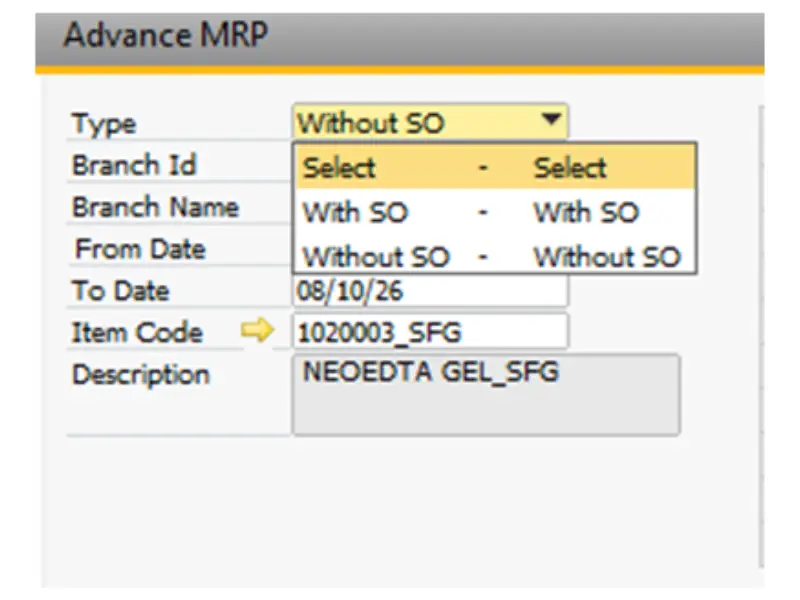
Without SO Case

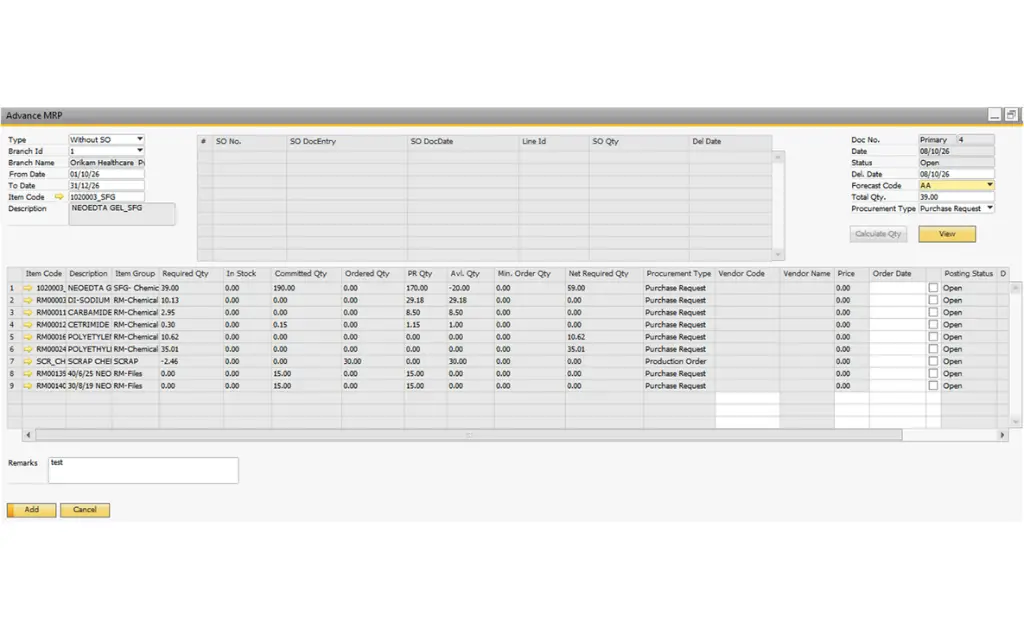
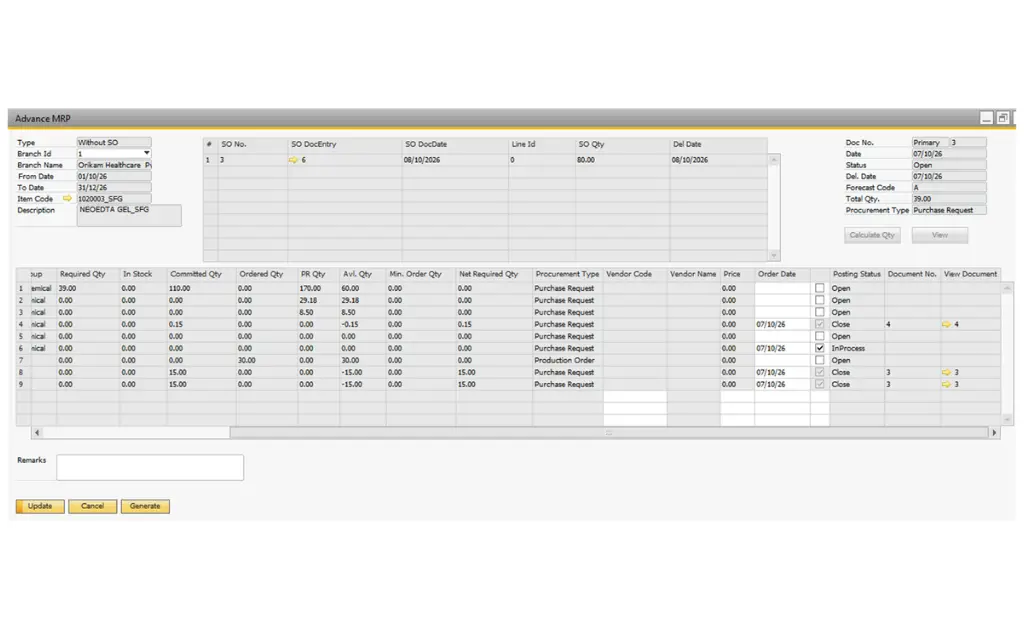
  • User can select without SO type manual. If user select Without SO then user need to select Branch, From Date, To Date and Item manually on header , Based on selected From date, To date and Item code, All Forecast names will show in list, when you select any forecast then then Total Qty comes according to selected fore cast.
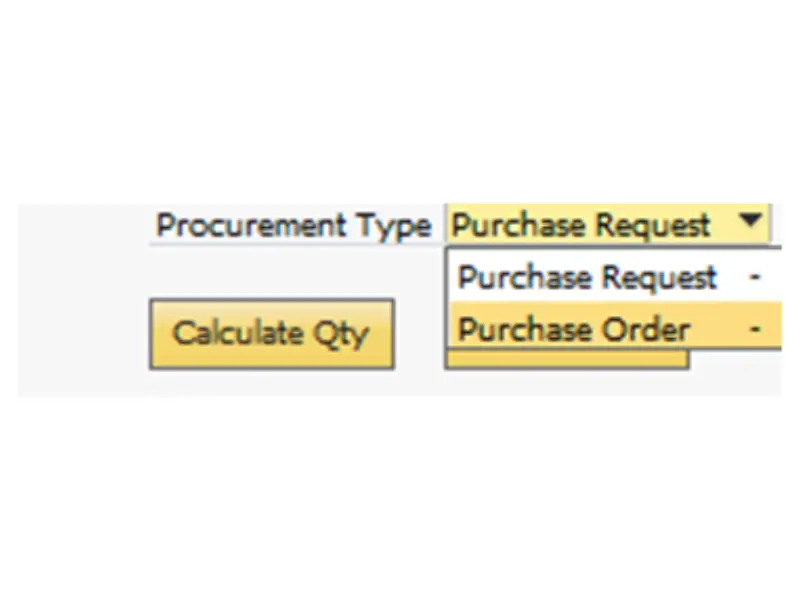
  • You can select Procurement Type Purchase Order/ Purchase Request like this.

Click on view button – based on the header BOM item all row material and linked Multi-level all BOM items will be load in the matrix

1 - Without SO - Advanced MRP Addon in SAP B1
2 - Without SO & With SO - Advanced MRP Addon in SAP B1
Without SO - Advanced MRP Addon in SAP B1

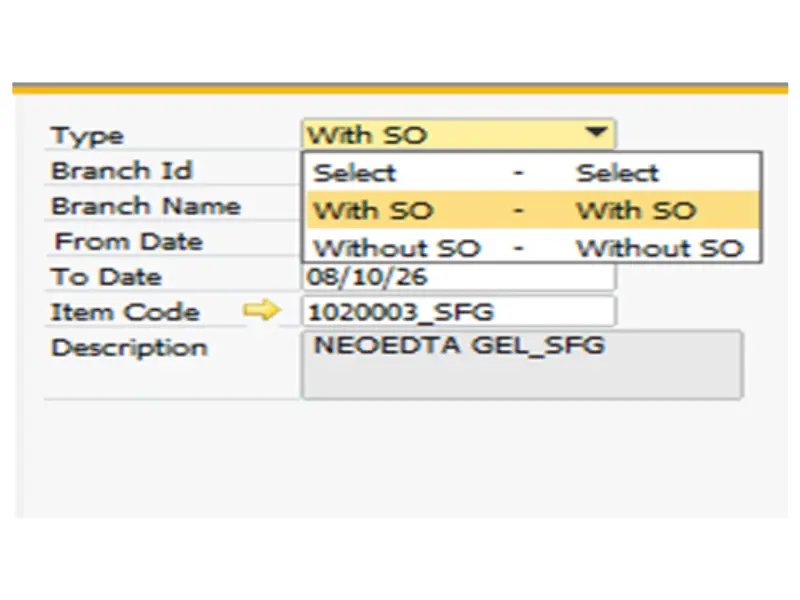
With SO Case

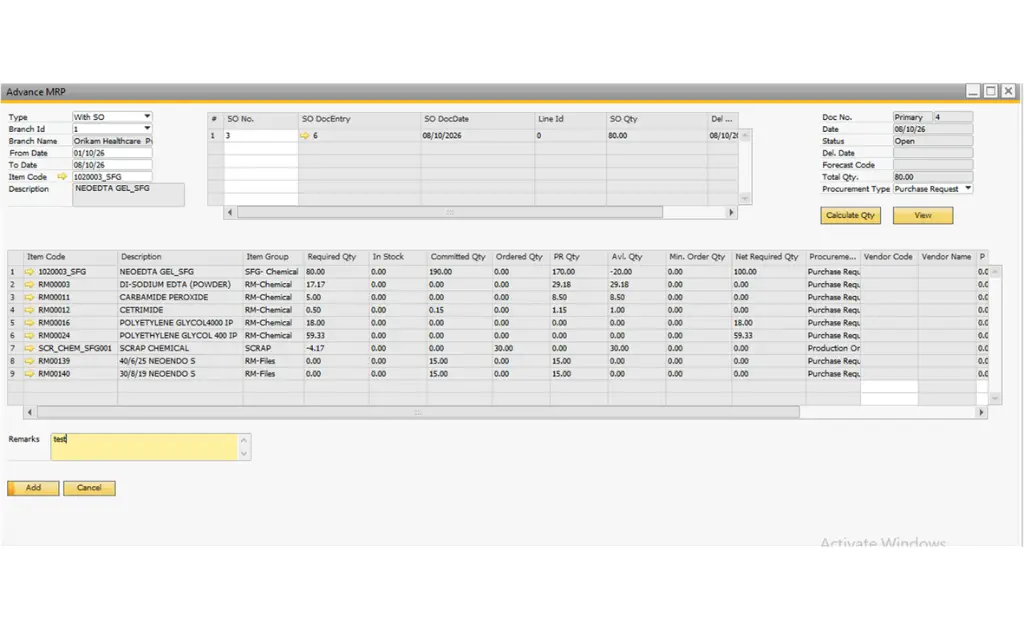
  • User can select with SO type manual. when user select With SO then user need to select Branch, From Date, To Date and Item manually on header , Based on selected From date, To date and Item code, All Sales orders show in list like SO No., SO Date, SO Qty and Del Date. When you press Calculate Qty button then All sales order Quantities sum will come on Total Qty field

  • You can select Procurement Type Purchase Order/ Purchase Request like this.

Click on view button – based on the header BOM item all row material and linked Multi-level all BOM items will be load in the matrix

1 - With SO - Advanced MRP Addon in SAP B1
2 - Without SO & With SO - Advanced MRP Addon in SAP B1
With SO - Advanced MRP Addon in SAP B1

Automated Procurement Document Generation

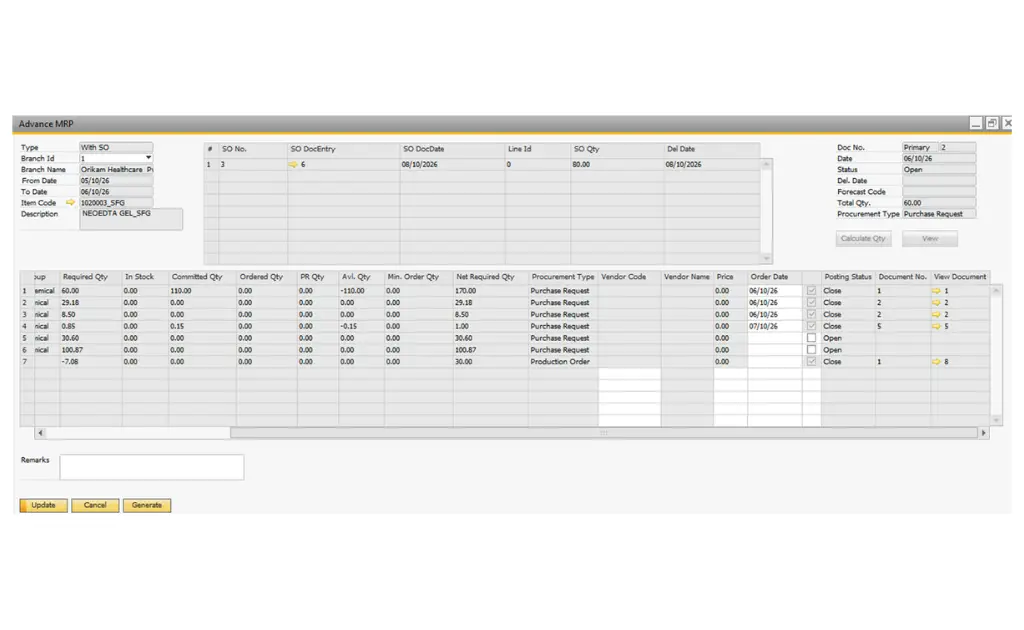
  • Document Selection: Users can select the required matrix rows using the Generate Document checkbox.
  • Net Required Quantity Validation: Documents will be generated only for selected items where Net Required Quantity > 0.
  • Procurement Type-Based Generation:
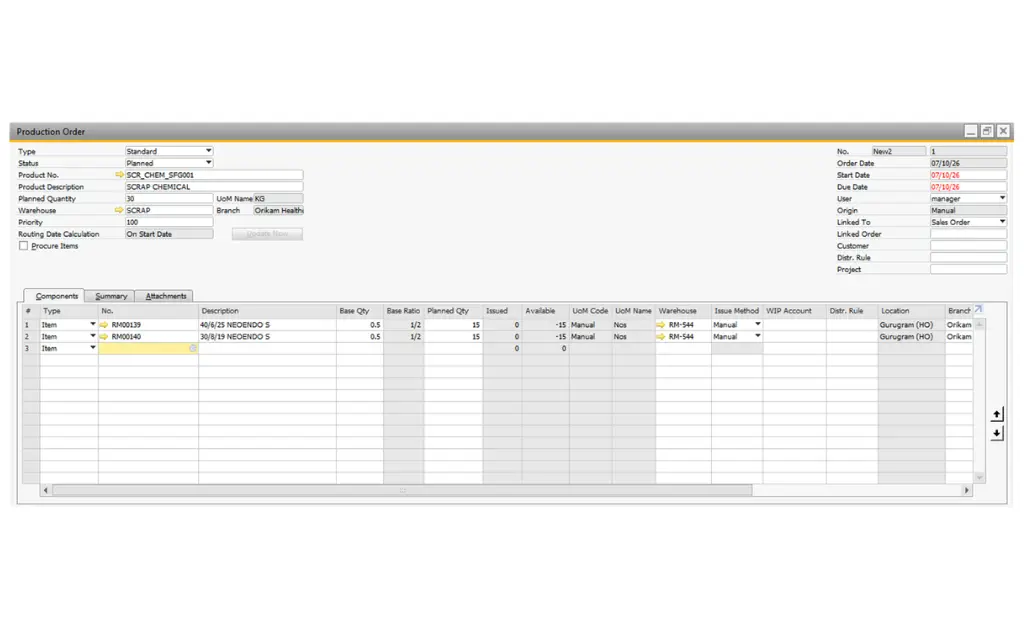
    • Production Order: A separate Production Order will be generated for each item.
    • Purchase Request: A single Purchase Request will be generated for all selected items with Procurement Type = Purchase Request.
    • Purchase Order: Purchase Orders will be grouped based on Order Date and Vendor. Items with the same Order Date and Vendor will be included in a single Purchase Order; different combinations will generate separate Purchase Orders.
  • Row-Level Processing: Documents will be generated only for the rows selected by the user.
  • Post-Generation Lock: Once a document is successfully generated, the corresponding row will become read-only, preventing duplicate document generation.
  • Pending Items: Users can generate documents later for rows that remain pending.
  • Status Update: The system will automatically update the status to Closed for each successfully processed row.
  • Document-Level Closure: Once documents have been generated for all applicable rows, the overall document status will automatically be updated to Closed.

Example 1- When click on Generate button then selected Procurement type Production order will post row wise and status will be closed after posting automatically.

Example 1 - Advanced MRP Addon in SAP B1

Posted Production order:

Posted Production order - Advanced MRP Addon in SAP B1

Example 2 – When click on Generate button then selected Procurement type purchase requests will post row wise and status will be closed after posting automatically.

Example 2 - Advanced MRP Addon in SAP B1

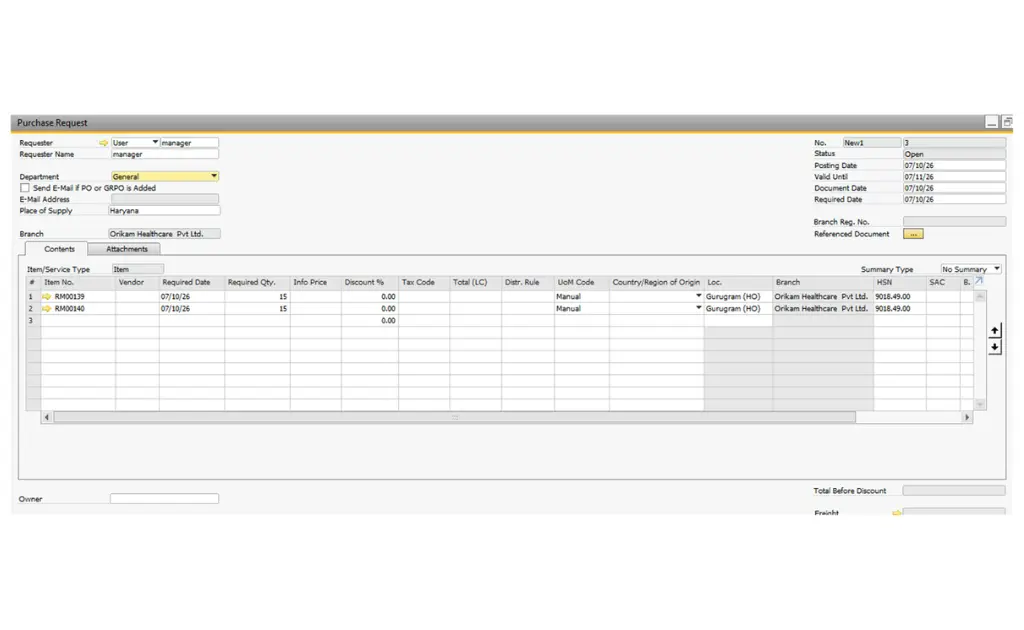
Posted Purchase Request:

Kabeer has developed 60+ Add-ons, few of them are

Quality Check Add-on
Bar / QR Code & Scanning Add-on
Digital Signature
Production Addon for SAP B1
Production Addon
E-Invoice & E-Way Bill
Budget Add-on
Vendor Rating Add-on
Job Work Addon for SAP B1
Job Work Add-on
Master Data Approval Add-on
Returnable Transport Packaging Add-on
Metal Industry Add-on
Milk Processing Add-on
Dairy Industry Add-on
Rebates & Incentive Add-on
Gate Entry Add-on
Hospital Management Add-on
Meat Industry Add-on
Foreign Trade Add-on
Enterprise Property management Add-on

Web Applications

HR360 Application
Sales & Store Management
Vendor Self Service
Dealer Management System
Salesforce Management System
Service Management Application